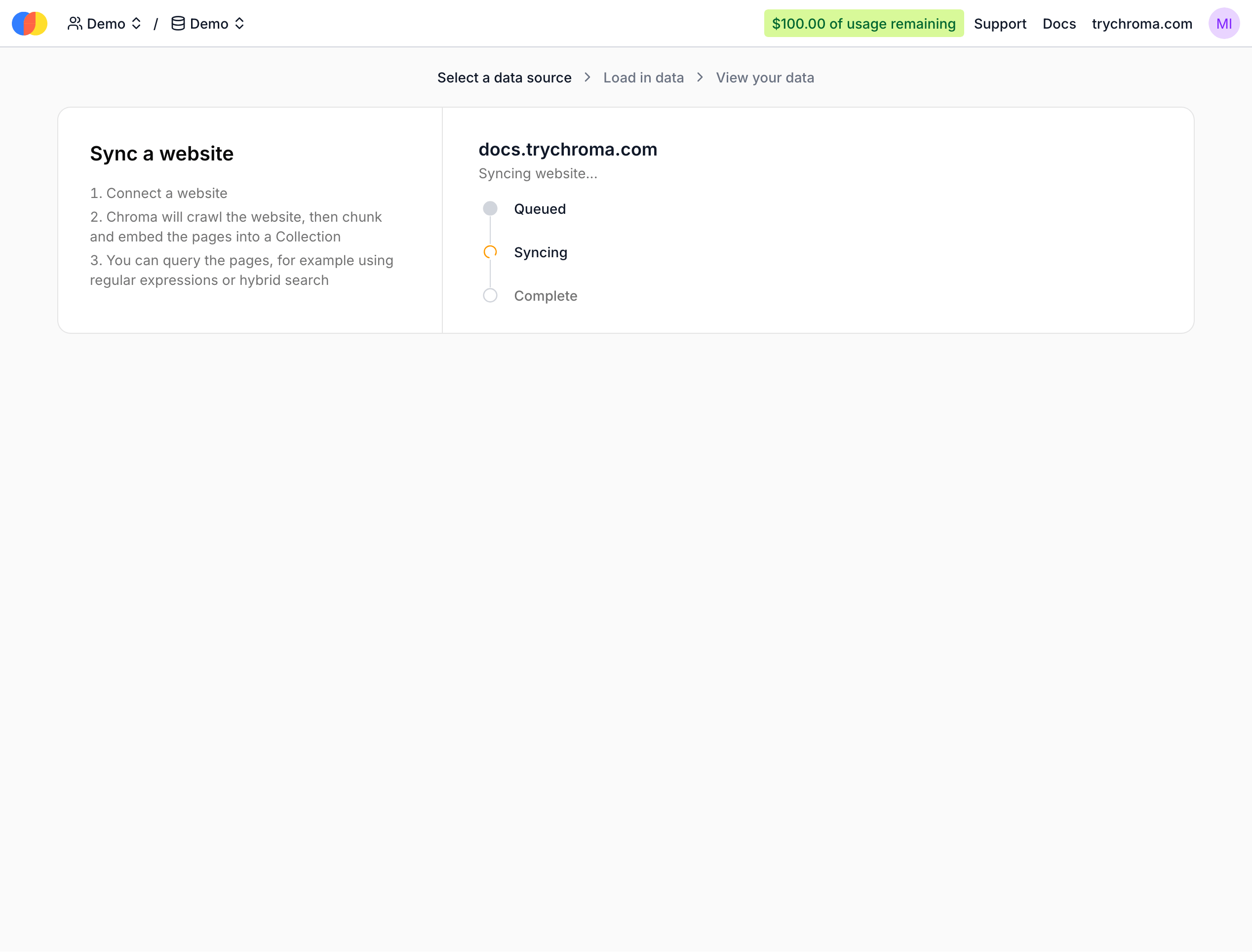
Web Sync allows you to easily sync content from any publicly accessible website into your Chroma Cloud database. Given a starting URL, Sync will crawl the website and its links up to a specified depth, extracting the content as Markdown, chunking it, and inserting it into your Chroma database with embeddings.
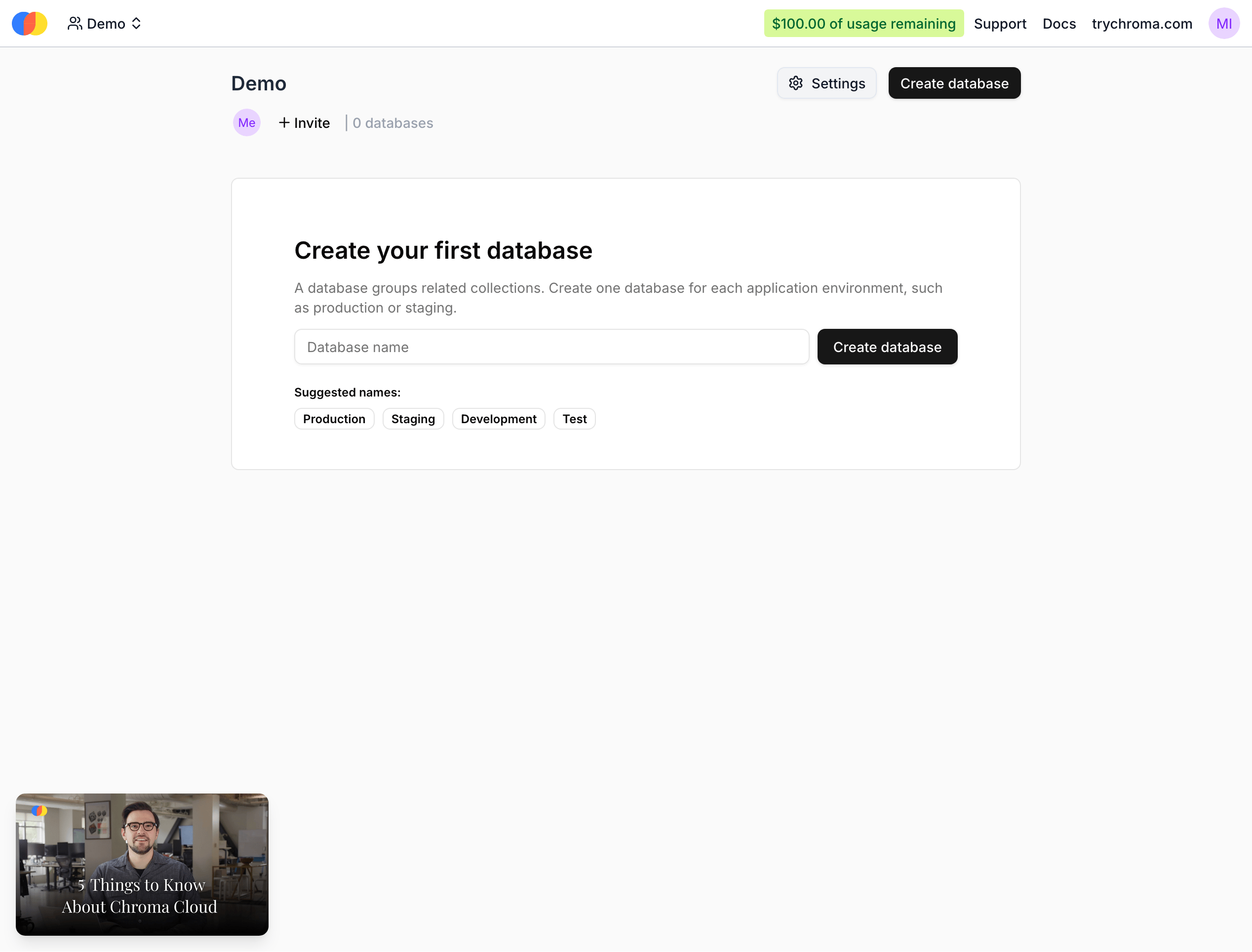
If you do not already have a Chroma Cloud account, you will need to create one at trychroma.com. After creating an account, you can create a database by specifying a name:
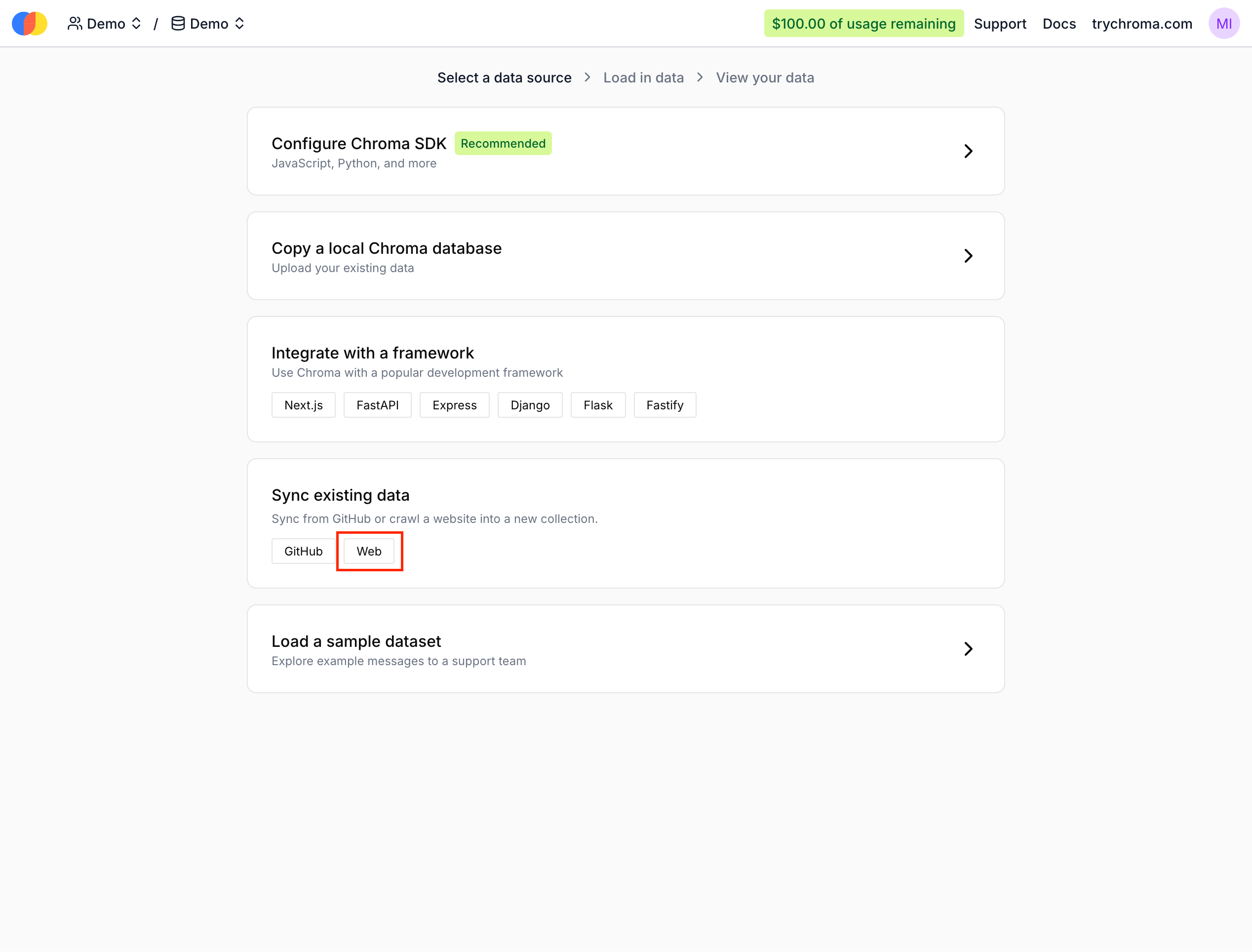
Then, select the Web source during onboarding:
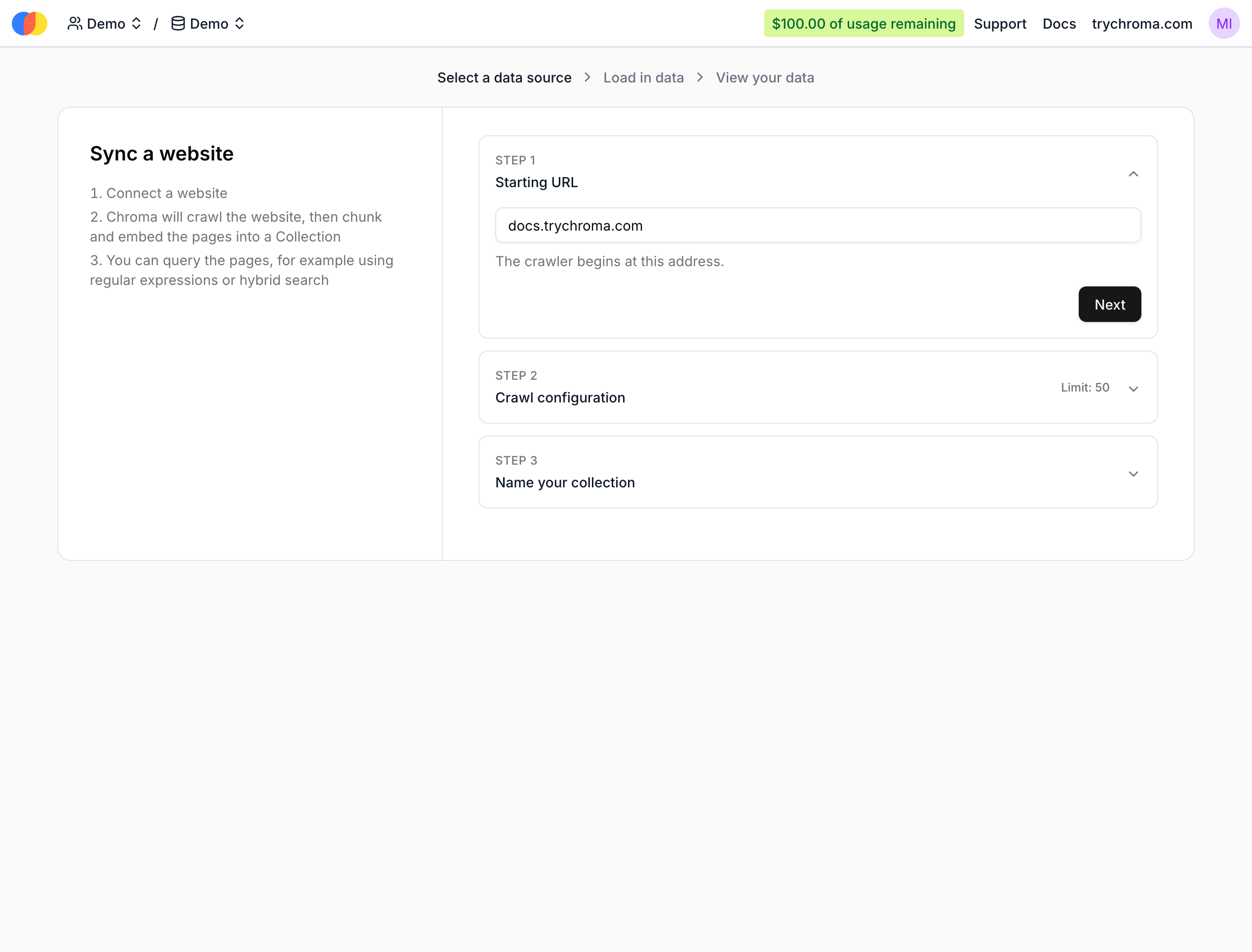
Next, configure the Web source by providing a starting URL:
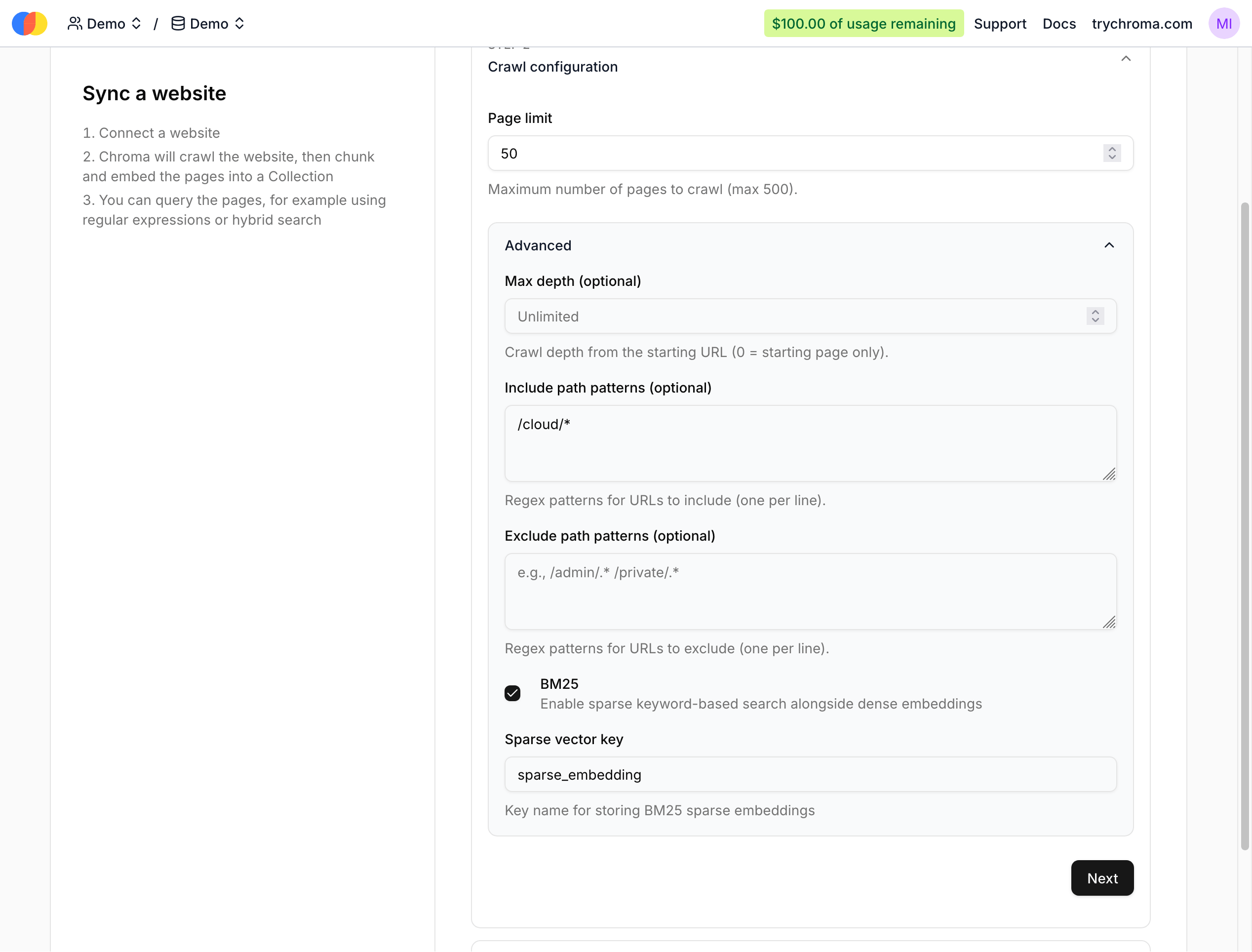
Optionally, you can configure other parameters like the page limit and include path regexes. Here, we’re scraping a maximum of 50 pages under https://docs.trychroma.com/cloud (all our cloud docs):
You can also change the default collection name if you want. After clicking “Create Sync Source”, an initial sync will start:
After it finishes, you’ll be redirected to the created collection.